Change the thing a fake page can steal
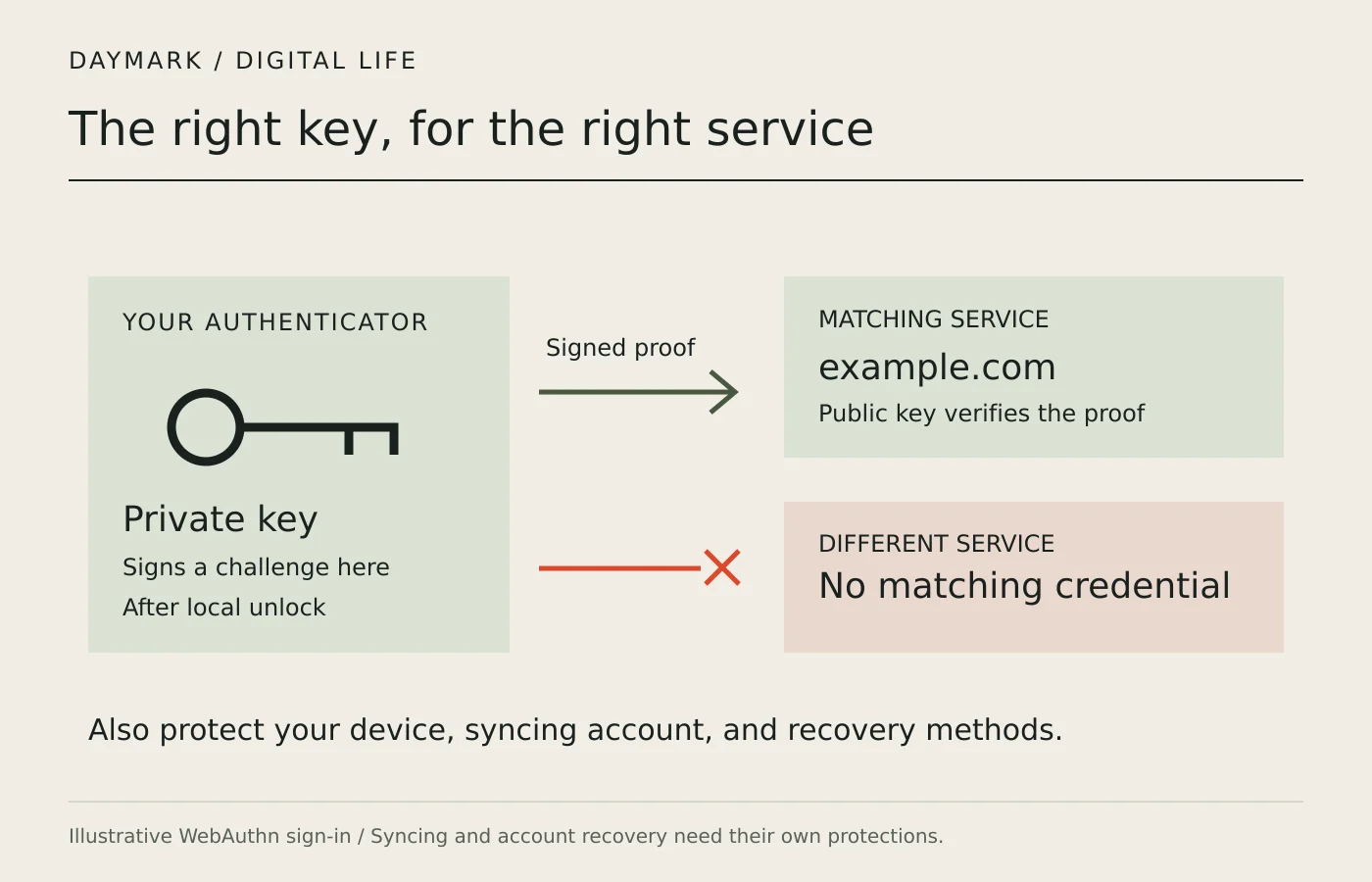
A convincing imitation of a sign-in page can persuade someone to type a password into the wrong website. A passkey changes that exchange. Instead of supplying a reusable shared secret, your authenticator proves possession of a private cryptographic key. The genuine service holds the corresponding public key. That public key can verify the proof without becoming a password that someone can reuse to sign in as you.
FIDO Alliance describes passkeys as credentials built on its FIDO2 standards, including WebAuthn. They can be stored on a phone, computer, or security key, depending on the implementation. The word does not name one particular vendor's product. When comparing services, ask where the credential will be stored and how you will use it on your devices, rather than assuming every passkey setup behaves identically.
Why the website's identity matters
NIST's authentication guidance explains phishing resistance through techniques including verifier name binding. In a WebAuthn system, the authentication is tied to the intended service's identity. A fake service on a different domain cannot simply request the genuine site's passkey and receive a usable proof for its own sign-in attempt. That protection comes from the protocol, rather than depending entirely on your ability to spot a convincing imitation.
This differs from copying a one-time code into a website. A short-lived code can still be relayed during a phishing attack; having an extra step does not by itself make a method phishing resistant. Read the provider's description of the actual mechanism. A passkey's benefit concerns authentication, not a guarantee that every message, download, transaction, or support conversation associated with an account is trustworthy.
Your fingerprint is not the site's password
You may unlock a passkey with a fingerprint, face check, or device PIN. This local action permits the authenticator to use its credential. It does not mean that the website receives your fingerprint as its replacement password. NIST distinguishes local activation secrets from centrally verified passwords: an activation secret is used locally to release access to the authentication secret, rather than being sent to the verifier.
The distinction has practical consequences. Someone who can unlock or misuse your device may have a route to your accounts, even though an attacker cannot obtain a reusable password from the website's public-key database. Keep the device lock strong, install supported security updates, and review unfamiliar account access. Treat a request to disclose your unlock PIN to another person as a warning, regardless of whether your account uses passkeys.
Know whether the credential travels
A device-bound passkey remains associated with its authenticator. A synced passkey can be copied through a provider's protected syncing system to other devices. This can make replacing a lost phone easier, but it adds the syncing account and its access controls to the security picture. NIST's syncable-authenticator guidance requires protection such as encrypted storage and controlled access; it does not treat copying private keys as an unprotected convenience.
Before creating one, identify the passkey provider shown by your browser or operating system. Check which devices can receive the credential, whether a work policy limits that choice, and what happens when you replace a device. Do not assume that using a particular browser automatically moves credentials to every other platform. Cross-device sign-in and credential syncing are related conveniences, but they are not the same operation.
Recovery deserves the same care as sign-in
Account recovery can become the easiest route around otherwise strong authentication. Find out what the service permits if your passkey is unavailable: another registered authenticator, recovery codes, email verification, or a support process. Protect the email and syncing accounts used in that chain. A secure everyday sign-in does not compensate for an easily compromised recovery route that grants the same account access.
Set up an additional supported method before removing the one you already use. Test that method through the service's known website, keep recovery material where an attacker or shared-device user cannot casually obtain it, and check how to revoke a lost authenticator. For work accounts, follow the administrator's policy. The right arrangement depends on the service's supported options, the devices you control, and the consequences of losing access.
A short checklist for making the switch
Start from the account's existing security settings, reached through a bookmark or known address. Register the passkey, confirm its storage location, and try a fresh sign-in while keeping your working session available. Review the list of registered credentials and the fallback methods. Make sure you understand which credential to remove if a device is sold or lost, and which separate account may restore a synced credential.
Keep the promise precise: passkeys reduce exposure to password theft and resist fake-verifier authentication attacks. They do not make malware, stolen sessions, deceptive payments, or weak recovery disappear. A good setup combines the protocol's protection with maintained devices and a recovery plan you have actually checked. That is a more useful reason to adopt passkeys than treating the absence of a password field as proof that an account can no longer be compromised.
Go to the sources
- FIDO Alliance: Passkeys and frequently asked questions
- NIST SP 800-63B-4: Authenticator and verifier requirements
- NIST SP 800-63B-4: Syncable authenticators
- NIST: Phishing resistance and authentication
Our editorial standards explain how sources and automated briefings are handled.